Calculate Chronological Age Manually & With Excel Formulas
Have you ever tried to calculate your exact age and got confused between days, months, and years? Sometimes the numbers don’t match, and you’re not sure where you went wrong. We know one small mistake can give you the wrong result.
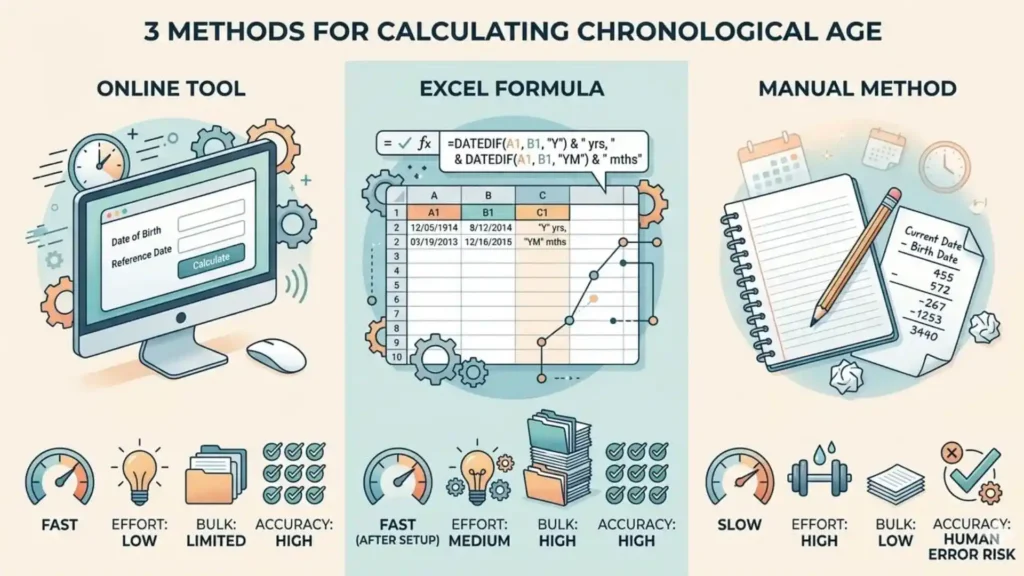
So, here we’ll show you how to calculate chronological age manually and explain the Excel quick method. For your ease we will also compare different methods of calculating chronological age so you can choose the one that works best for you.
How To Calculate Chronological Age Manually
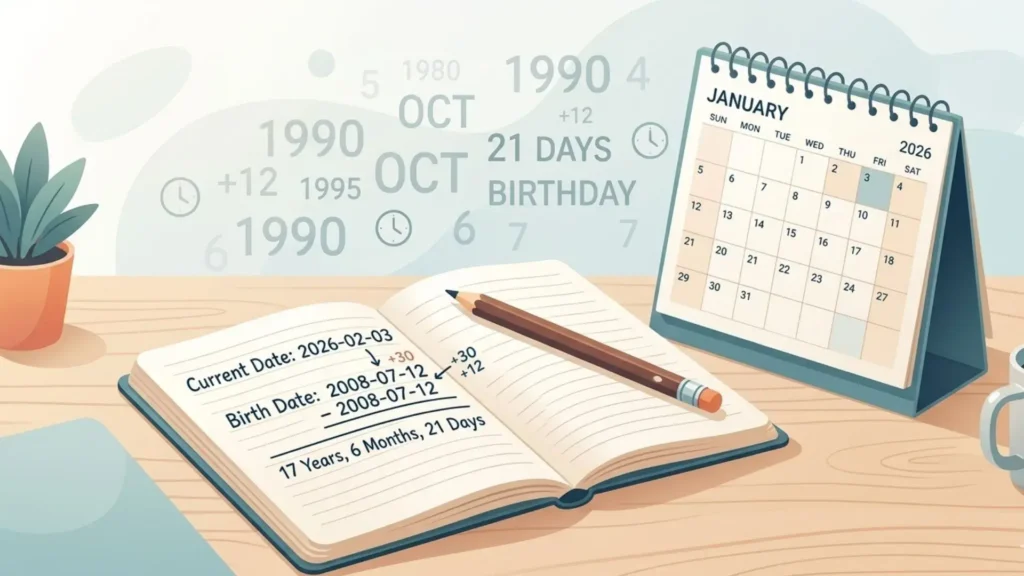
To figure out your chronological age manually, you have to subtract / minus the date of birth (year-month-days) from the given or current date. Remember, in the chronological age formula, always subtract the days first, then months and then years at the end.
To make you better understand the process of calculating, Here’s a chronological age example;
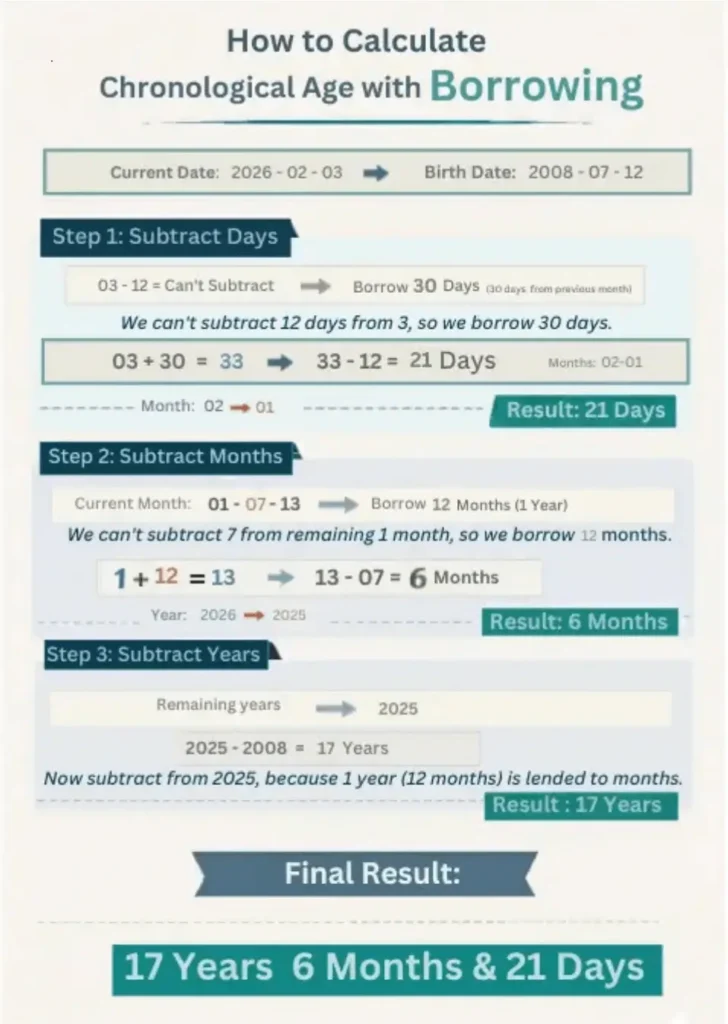
If someone was born on July 12, 2008, and today is February 3, 2026, their chronological age would be 17 years, 6 months, and 21 days.
(This example shows how to figure out chronological age using dates and the borrowing process when the birth date is greater than the current date)
Let’s take it Step by step:
1: Alignment:
Write the current or given date on top and the Birth date in bottom, just below the top date. The vertical alignment like we used to do in our schools.
2: Months:
Start with the days first. Subtract the birth date from the current date. If your birth date is greater than the given date, borrow 30 days from the month.
3: Days:
Next, subtract the months and if the birth month is greater than the current month, borrow 12 (months) from the years, then minus the months.
4: Years:
Finally, subtract the birth year from the remaining years, in this case subtract 2008 from the remaining 2025. By doing this, you will get the results.
Step-by-Step Chronological Age Calculation:
| Category | Year | Months | Days |
| Current date | 2026 | 02 | 03 |
| Date of Birth | 2008 | 07 | 12 |
| Result | 17 years | 06 months | 21 days |
- Step 1 (Days): Since 12 is greater than 03, we borrow 30 days from the months section. Now, 33 – 12 = 21 Days.
- Step 2 (Months): After lending, only 01 month remains. Since 07 is greater than 01, we borrow 12 months (1 year) from the years section. Now, 13 – 07 = 6 Months.
- Step 3 (Years): We are left with 2025 years. Subtracting the birth year, 2025 – 2008 =17 Years.
- Final Result: The total age is 17 Years, 6 Months, and 21 Days.
Pro Tip:
You can also find out “How old am I?” today or “How old was I?” on any past date using our Chronological age calculator tool. This is perfect for school eligibility, age tracking, or official record purposes.
Who Can Benefit From This Tool
Teachers
The tool is Ideal for classroom placement of students and monitoring their educational growth.
SLPs
Handy tool for Speech-Language Pathologists to track development on life stages.
Parents
Perfect tool for checking school eligibility and official record tracking for your children.
Legal Professionals
Lawyers and administrators can quickly verify exact ages for legal documents, licenses, and official applications.

How to Calculate Chronological Age in Excel (Quick Method)
Manual calculation is useful when you want to understand the logic, but it’s not always practical, especially when you’re working with multiple records.
If you’re a teacher, clinician, or managing a list of students or patients, using Excel (or Google Sheets) can save you a lot of time.
You can use a simple function called DATEDIF to calculate chronological age automatically.
If you have a list of people and need their exact ages instantly, follow these 4 simple steps:
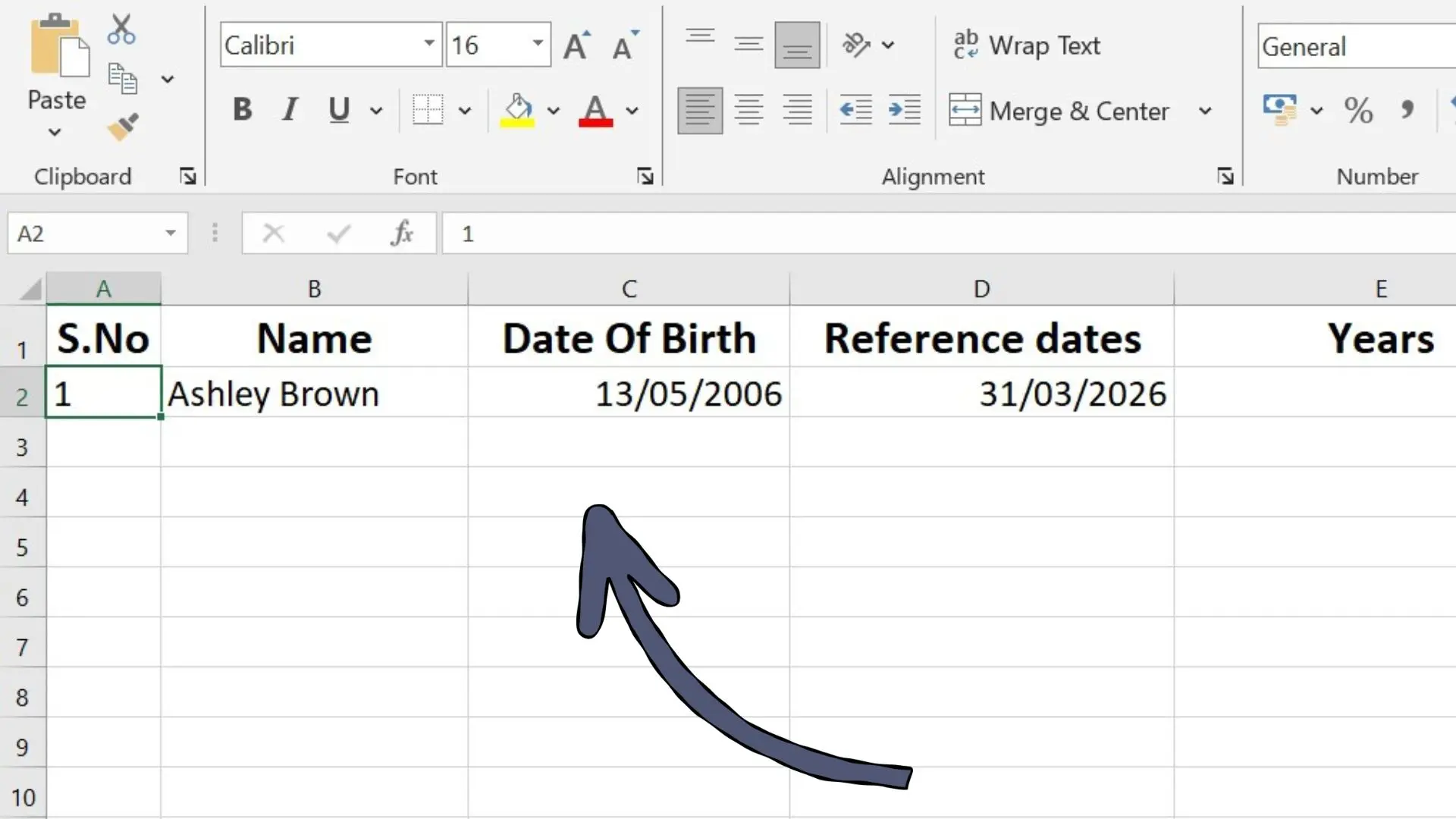
Step 1: Input Data
Open Excel and enter your dates into these specific cells:
- Cell A2: Serial Number
- Cell B2: Name
- Cell C2: Date of Birth (13/05/2006)
- Cell D2: Reference Date (31/03/2026)
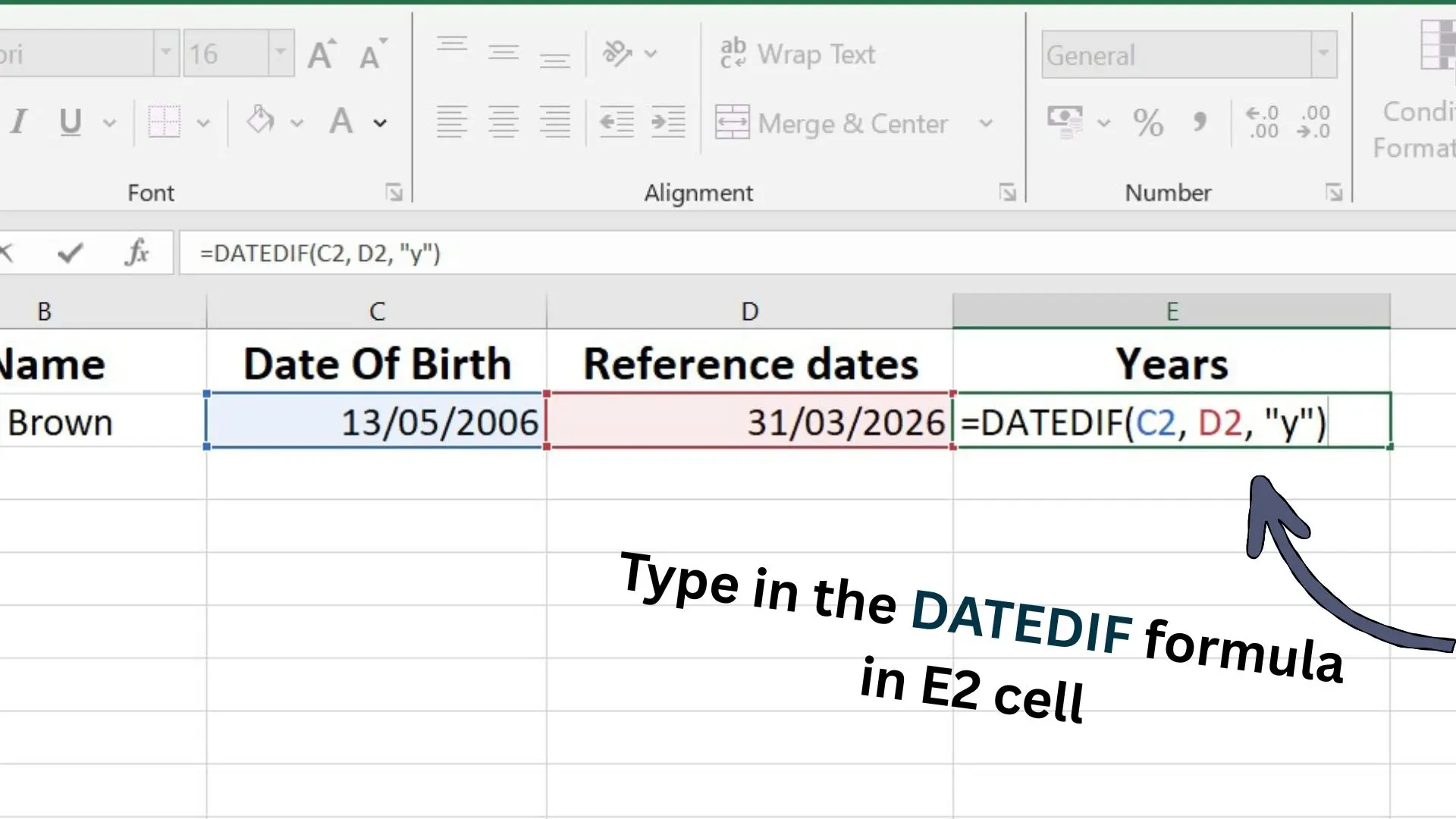
Step 2: Enter Formulas
Paste these codes into the cells next to your data of DOB and reference dates:
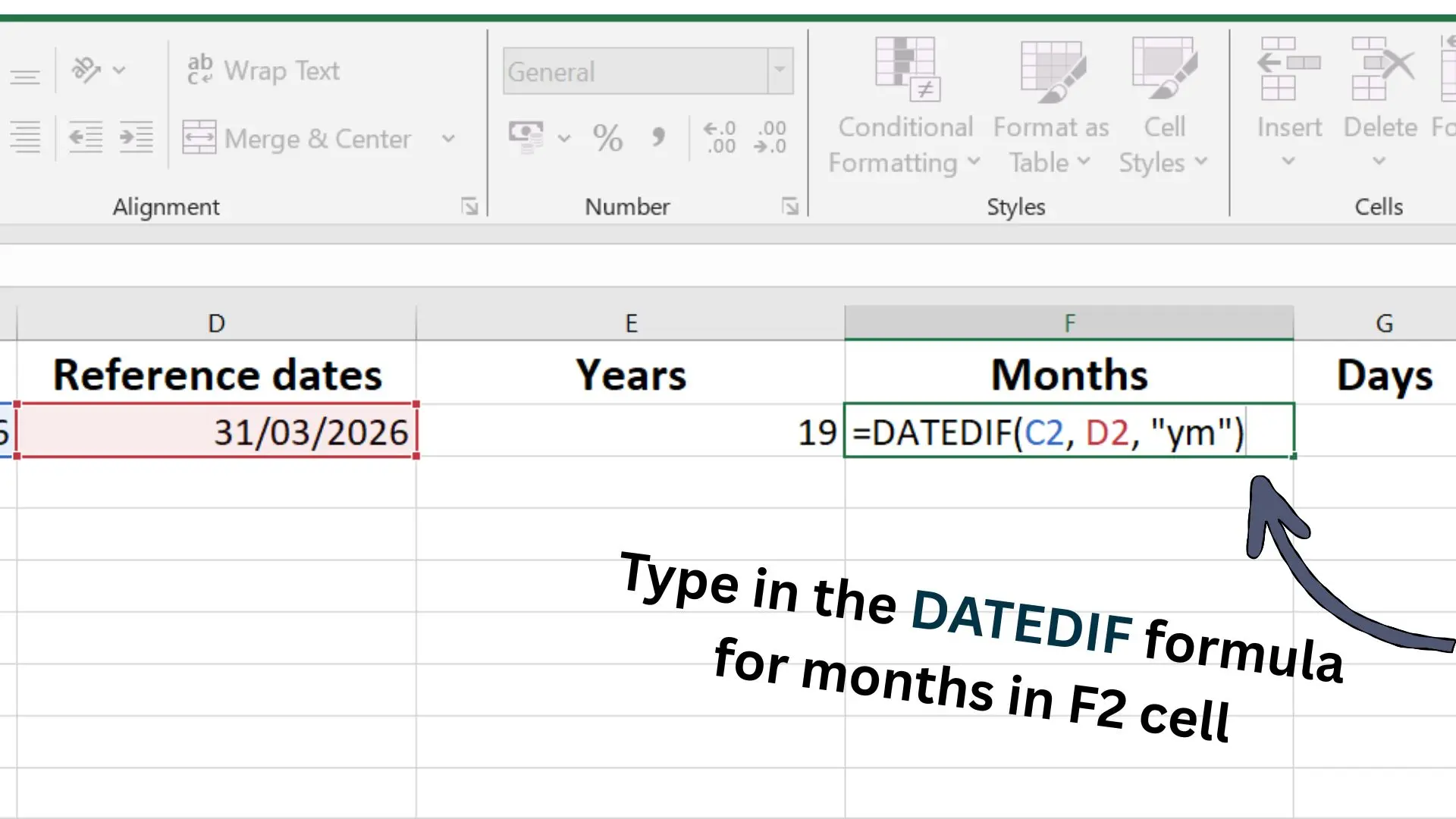
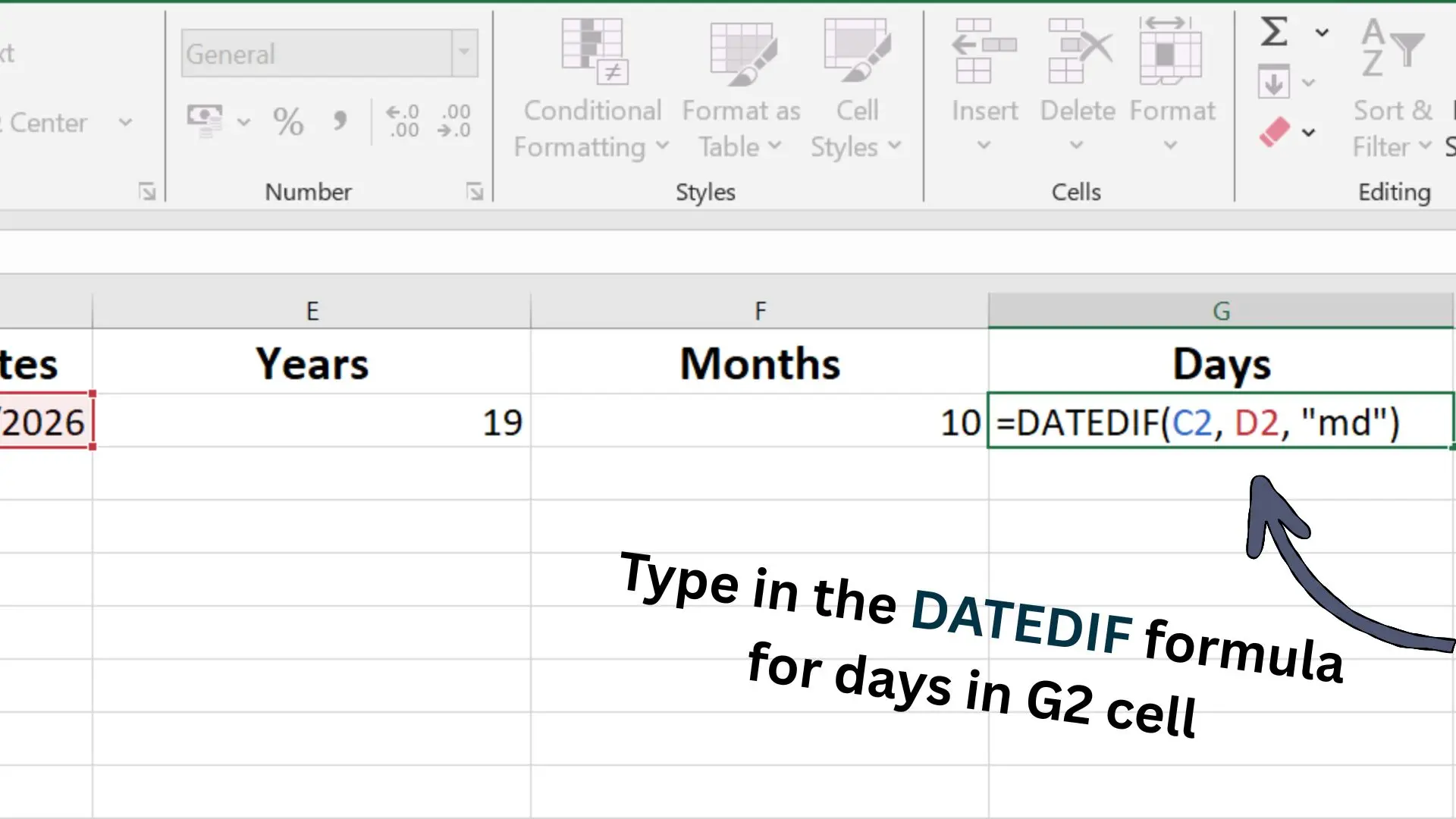
Step 3: Check Results
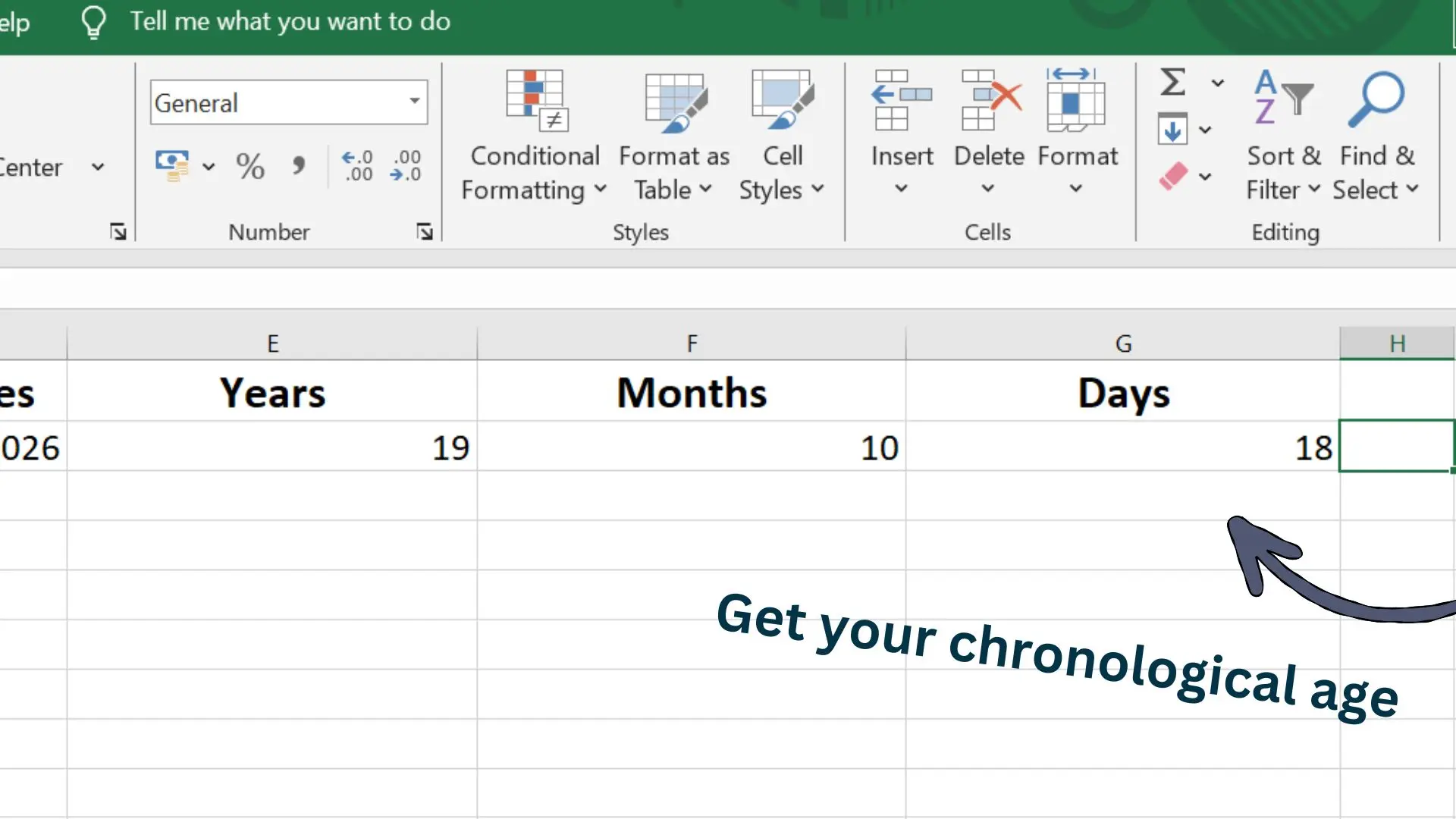
Press Enter to see the numbers. For example, If you see E2= 19, F2= 10, G2= 18, the age is:
Step 4: Bulk Fill
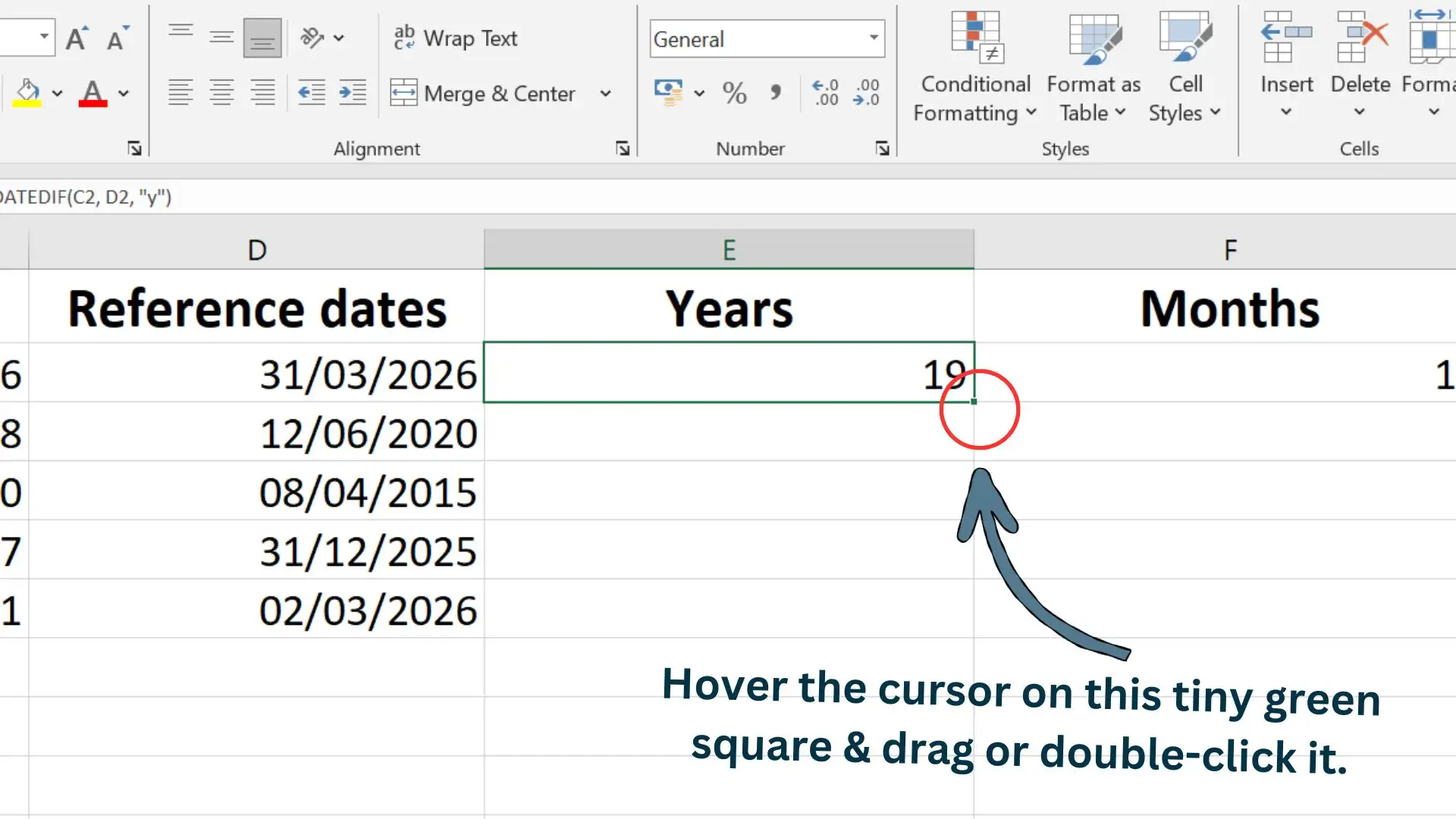
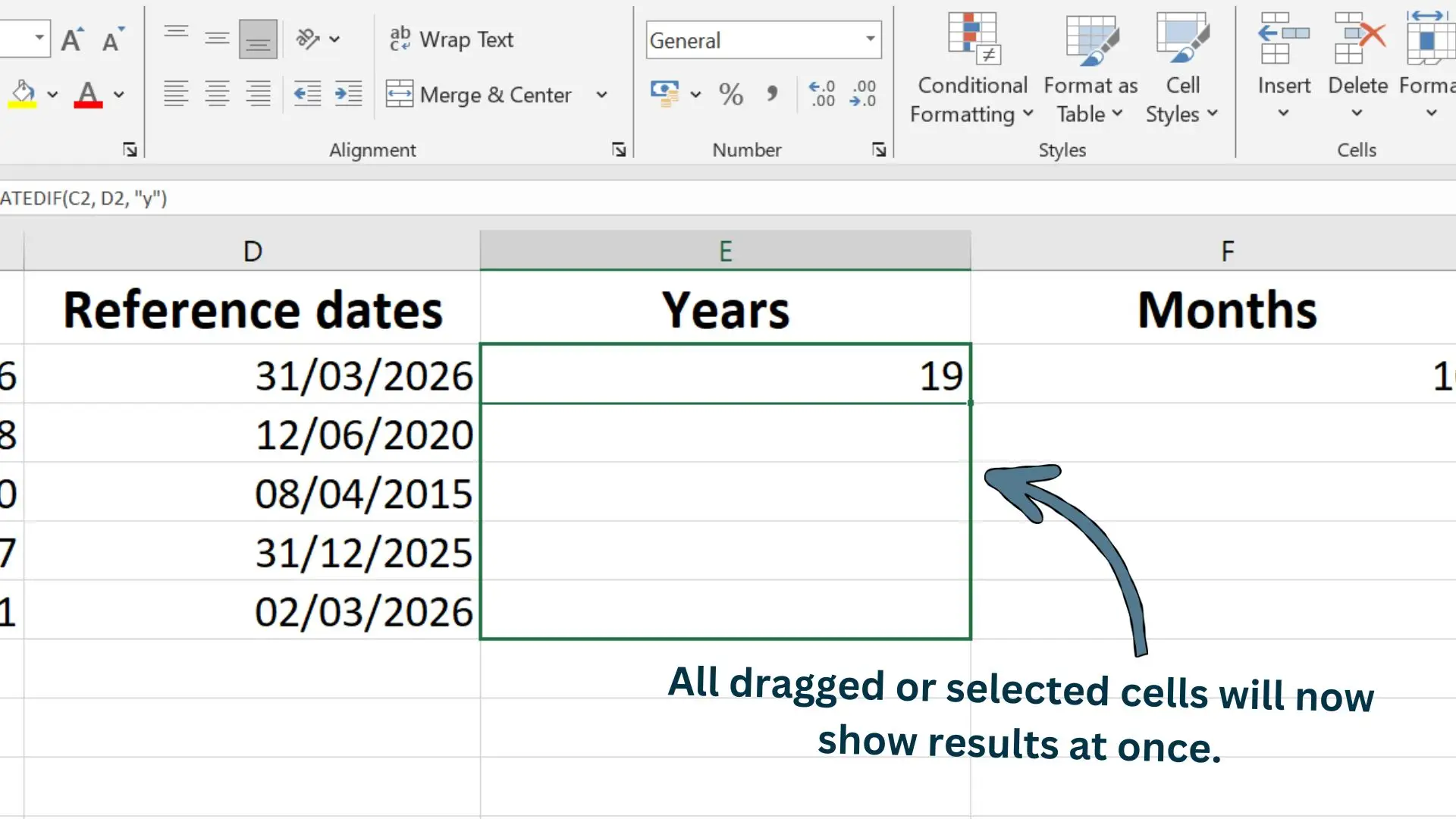
For a long list, don’t re-type. Highlight the cells E2, F2, G2 and double-click the small green square at the bottom right corner, or just drag this square up to the cells filled with data.
Excel will calculate the age for the whole list quickly.
Pro Tip: Fixing the #VALUE! Error
If the Excel shows an error, it’s usually because the dates are formatted as text. Select cells C2 and D2, go to Home Tab> Number and select Short Date.
Age Calculation Methods Comparison
| Features | Online Tool | Excel Formula | Manual Method |
|---|---|---|---|
| Processing Speed | Instant (<1s) | Fast | Slow (2-5 mins) |
| Human Effort Needed | Very Low | Medium | High |
| Bulk Handling | No | Yes | No |
| Result Accuracy | 100% | 100% | Risk Error |
| Available On | Any Device | PC/Mobile | Pen & Paper |
Frequently Asked Questions
Conclusion:
Calculating chronological age by hand seems easy and small task, but accuracy here matters a lot. One single mistake can cause issues in school placement, legal documents and in reports by SLPs for tracking developmental milestones.
Whether you choose the traditional manual method to understand the math, the Excel DATEDIF formula for managing large lists, or our chronological age calculator tool for quick results, accuracy is what truly matters. By using the method of calculation you prefer for your needs, make sure it gives you accurate result and we hope this guide has made the process simple and clear for you.
Similar Posts
Chronological Age VS Mental Age
Chronological Age vs Mental Age | What’s the Difference Have you ever felt like your age doesn’t really match how you think or behave? Or you ever met a 10-year-old who speaks with the wisdom of an adult? Or maybe a 40-year-old who still gets excited like a kid on a playground? This is not…
Chronological Age VS Biological Age
Chronological Age VS Biological Age | The Difference Explained When someone asks your age, you usually answer based on your date of birth, right? That number is called your chronological age. But here’s something interesting: that’s not the only way age can be described. There’s another concept called biological age. Understanding chronological age vs biological…
Chronological Age: Meaning, Importance & Uses
Chronological Age: Meaning, Importance & Uses Ever wondered why two people born in the same year can have completely different experiences, like starting school, getting a driving license, or even planning a health check up? That’s where chronological age comes in, which is the exact time since your date of birth.Calculating it can get confusing…